
Reach your team beyond the desk.
Paging options for offices, shops, and warehouses, configured around your space and equipment.
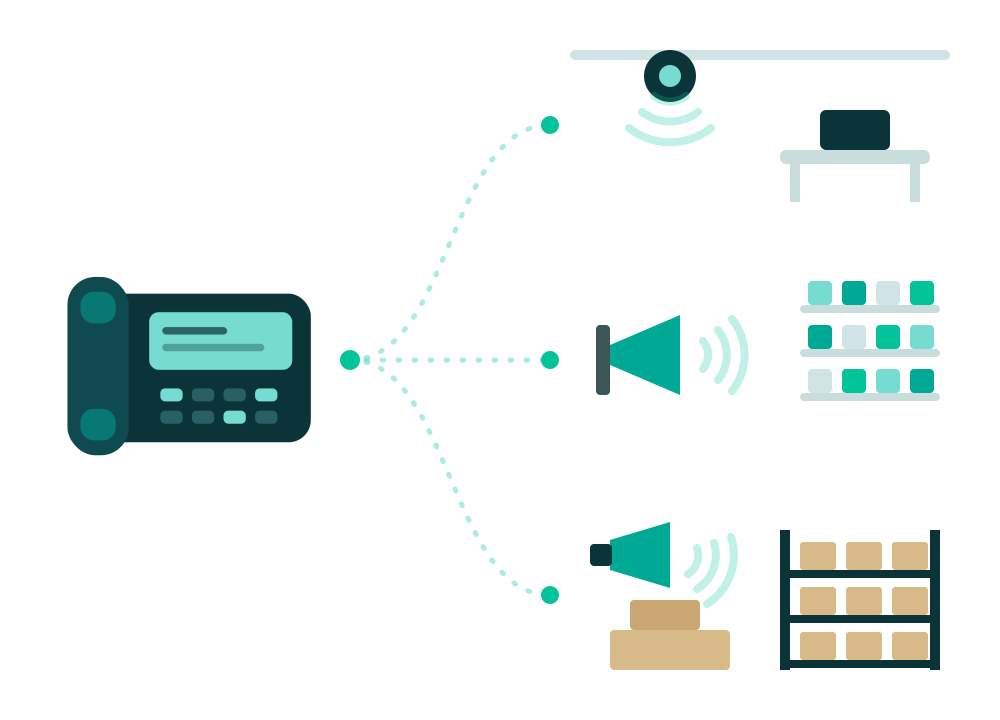
Configured for your specific spaces
Different operational environments have different acoustic needs. We design zone paging around where your staff works.
Service Departments
Notify technicians, parts runners, and service advisors instantly when customer vehicles arrive, parts orders are ready, or bay assistance is required.
Warehouses
Keep warehouse teams, forklift operators, and shipping dock workers connected across wide floor plans where mobile phones are difficult to hear or carry.
Shared Office Spaces
Distribute balanced, ambient voice announcements to break rooms, reception lobbies, and main corridors without blasting into quiet private offices.
We review your existing equipment first.
Many facilities already have working speakers, 70V amplifiers, or existing audio wiring. Pier inspects your current hardware and layout to recommend the most practical connection method.
When existing amplifiers and speakers are in good condition, we configure compatible IP paging adapters to link them directly to your phone system. When legacy hardware is worn or unsuitable, we recommend modern IP speakers and horns.
Practical Assessment, No Universal Compatibility Claims
Because amplifier models, wiring ages, and audio impedances vary across facilities, we do not promise universal compatibility. We evaluate your exact equipment first so you know clearly what can be reused and what requires updated adapters.
What We Review For Your Setup
Amplifiers & Power Units
We review make, model, 70V/25V tap settings, and line-level inputs to determine adapter compatibility.
Speakers & Wiring Runs
We check the physical placement, cone condition, and existing audio cabling across your facility.
Paging Zone Structure
We map out whether you need a single all-call broadcast or isolated zones for specific departments.
Phone System Integration
We configure your desk phones and extensions so authorized staff can page with a quick dial code.
Frequently asked questions
Common considerations when planning a business paging and overhead announcement system.
Can we reuse our existing speakers and horns?
Often yes. If your existing 70V or 25V amplifiers and speaker wiring are in good operational shape, we can frequently connect them to your Pier phone system using a dedicated SIP paging adapter. We inspect your amplifier model, power specifications, and cabling before recommending any equipment.
How do team members initiate paging from their phones?
Paging is initiated directly from compatible desk phones, cordless handsets, or assigned extensions. Authorized users dial an assigned paging extension or press a designated speed-dial line key, speak their announcement, and hang up.
What information is needed to get a paging quote?
To build an accurate quote, we ask about your facility layout, approximate square footage, ceiling heights, whether you have existing speakers and amplifiers you would like reviewed, and how many distinct paging zones your operation requires.
Let’s plan your paging setup
Tell us about your spaces, any existing speakers or amplifiers you’d like evaluated, and the zones your team needs to reach.
Northern New York roots • Practical equipment review • Dedicated phone specialists